Ten seconds, at the right moment
The prompt comes at the end of a session, while the work is still visible. One photo per calendar day — take another and it replaces the first.
One photo after each workout, day 1 to today, in one swipe — stored on your phone and uploaded nowhere.
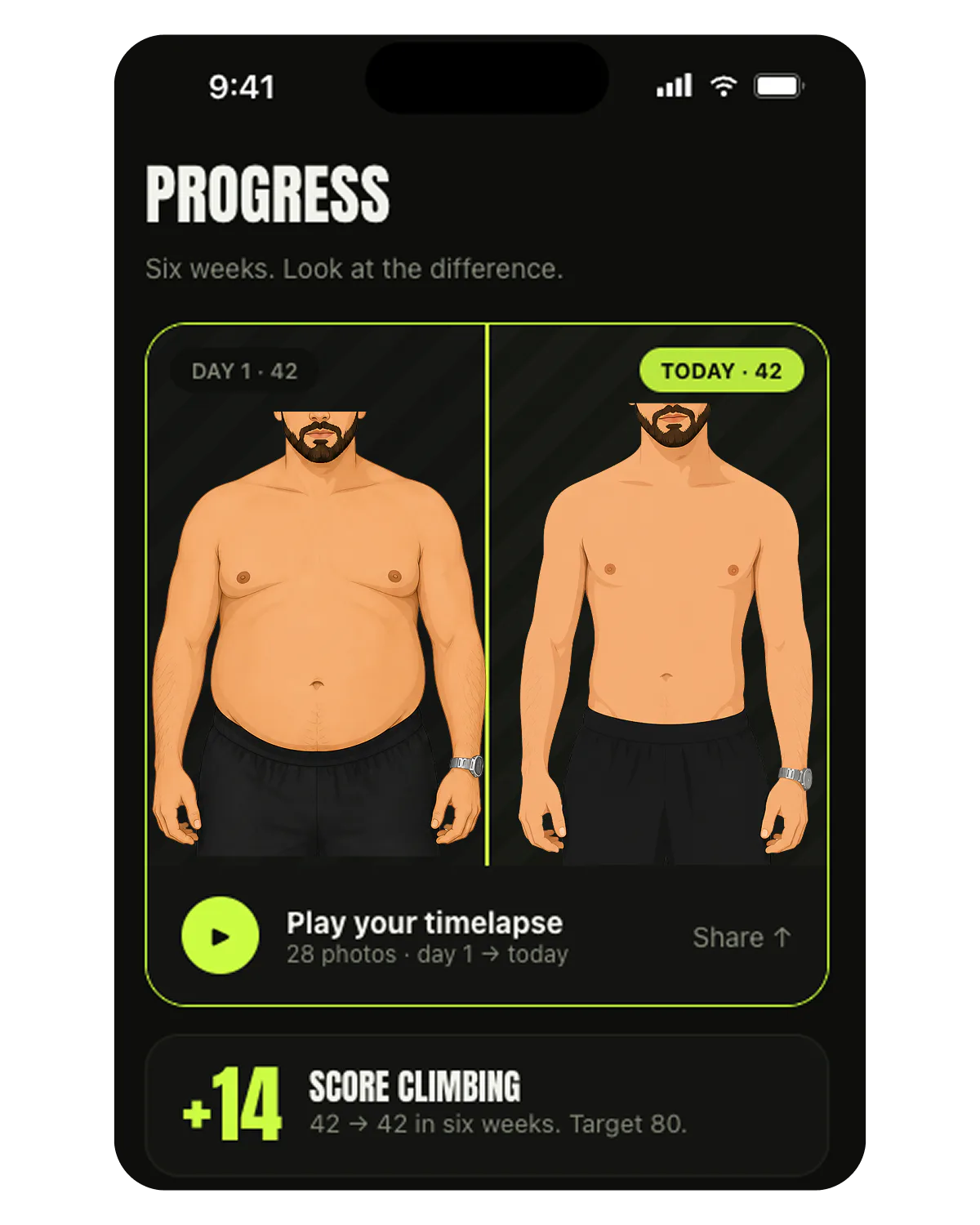
The prompt comes at the end of a session, while the work is still visible. One photo per calendar day — take another and it replaces the first.
Nobody notices a body changing at the speed a body changes. Played back day 1 to today, eight weeks compress into one swipe.
The photos are saved inside the app on your device and nothing uploads them. Not to us, not to an ad network, not to another user.
Local-only cuts both ways: delete the app and the photos go with it. If a timelapse matters to you, keep a copy somewhere else too.
The session ends on your reps, your calories and your streak, then offers the photo. Skipping is one tap — the timelapse simply has a gap that day.
Same spot, same light, same distance. The app stores it compressed but sharp, at a minimum of 1440 pixels on the short side.
Every photo in order, each stamped with its day number. Your scan photos land in the same reel, so a scan day is never a blank one.
One photo per day, in order, with the day number on it. The app asks for it at the end of a workout — the moment when the work is most visible and you are least likely to postpone it — and your scan photos join the same reel.
It is deliberately not a gallery. There is one frame per calendar day, so the playback reads as a change over time rather than as an album.
Because that is the only moment you will reliably take it. A daily photo reminder gets dismissed; a photo offered ten seconds after you finished something is taken. The pump also makes the frame consistent, which matters more than it sounds: the timelapse only works if every frame was shot under roughly the same conditions.
It does not measure anything. The timelapse is evidence you look at, not a number you track — that is what the Abs Score is for. A reel can flatter you on good light just as a mirror can.
And it is not backed up. The photos live with the app on your phone, which is what makes the privacy claim above true, and also what makes an uninstall final.
Inside the app’s own folder on your phone. They are compressed to WebP at a minimum of 1440 pixels and never sent to a server, to us, or to any advertiser. The trade-off is that nothing restores them if you delete the app.
No. There is no feed, no sharing surface and no upload path for these photos — they never leave the device. The only thing Absly can publish anywhere is a challenge score you explicitly choose to share.
The newer one replaces the older one. The timelapse keeps exactly one frame per calendar day, so the playback stays even instead of stuttering through three shots of the same afternoon.
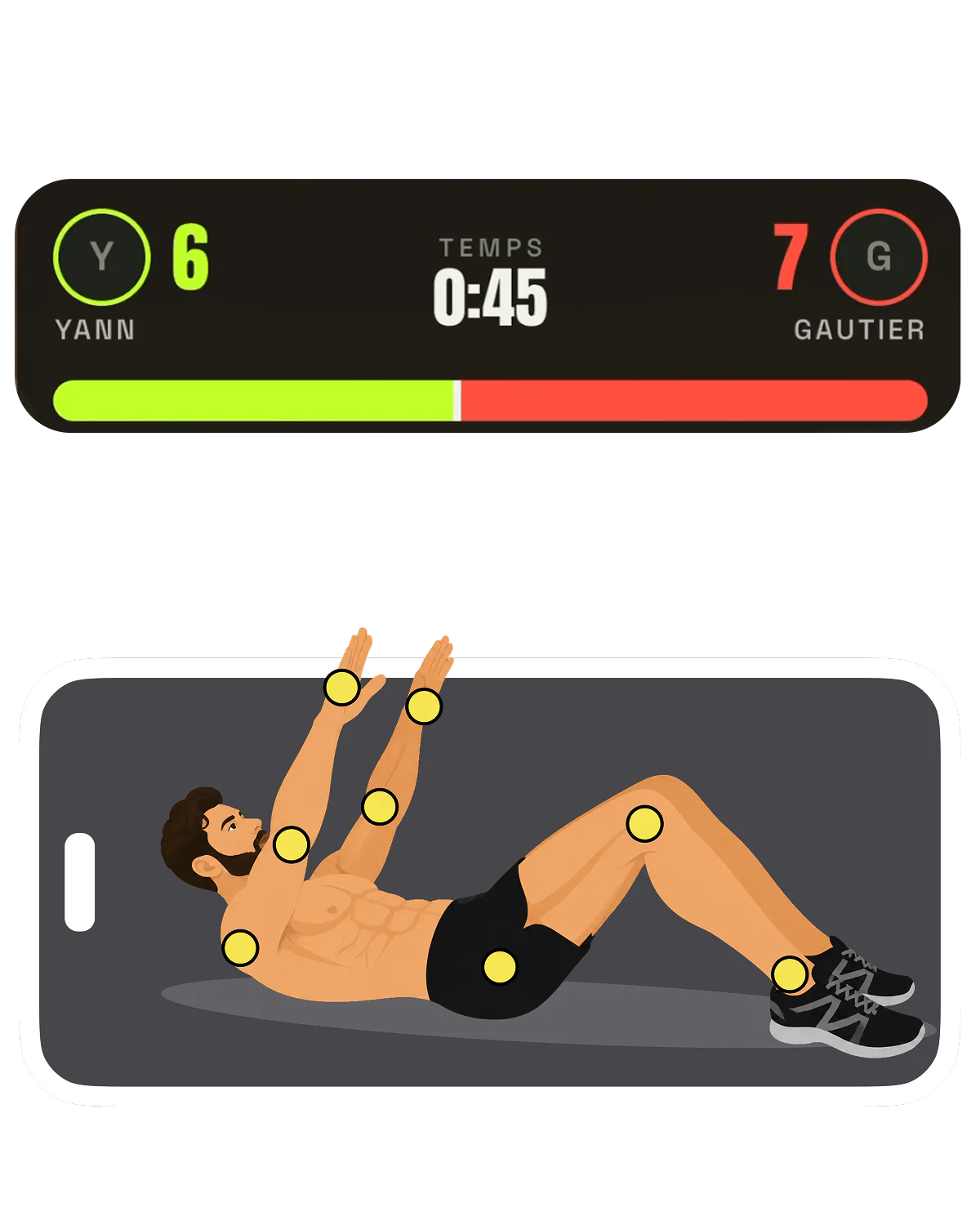
Max crunches in 60 seconds, counted by the camera and not by you — half reps are rejected, and the top 100 board says where you stand.
See how it works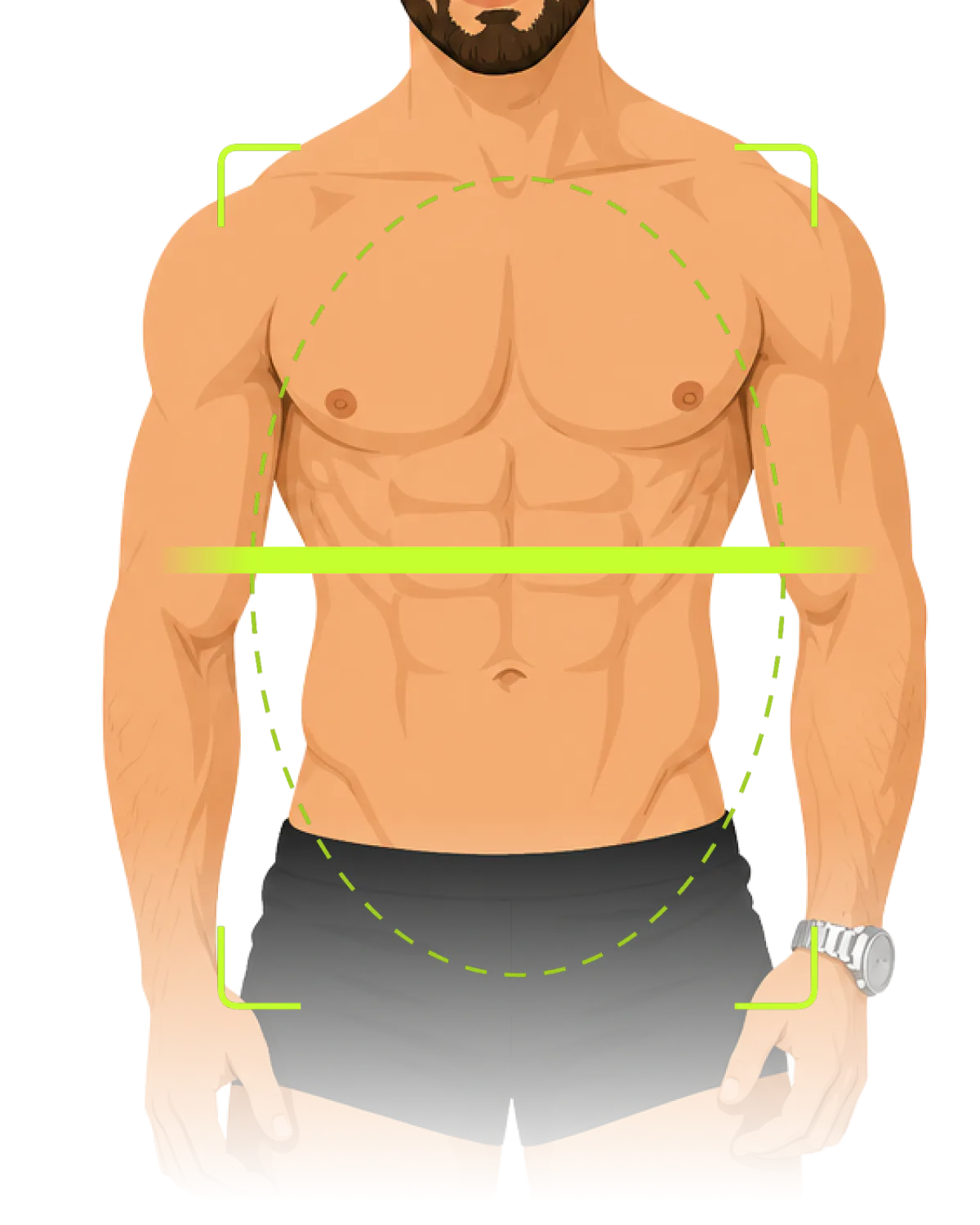
90 seconds of camera time becomes one number on a 0-100 scale — the same number whether you like it or not.
See how it works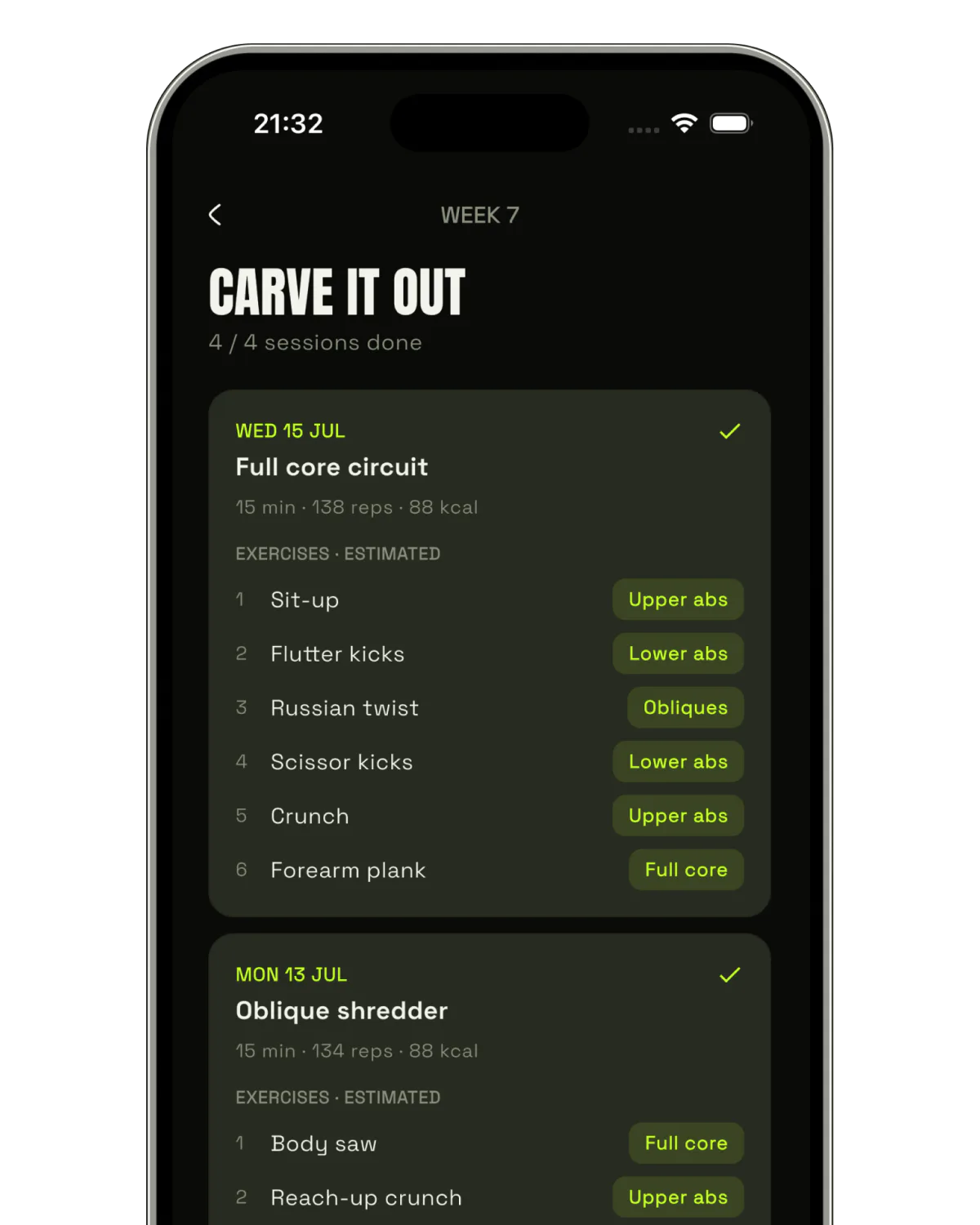
Three phases — wake the core, build the grid, carve it out — over 4, 8 or 12 weeks, at 3 to 7 sessions a week.
See how it worksAbsly estimates how visible your abdominal definition is from a photo. It is not a body-fat measurement, it is not a medical device, and it is not a substitute for advice from a doctor or a registered dietitian.